A screensaver.
With a plot.
This isn’t a looping video. Ships hunt, power up, become veterans, and push their luck in a simulation that keeps unfolding.
↗
AN OLED SCREENSAVER WITH A LIFE OF ITS OWN
Sparse wireframe fleets. Pitch-black space.
Dimmable action. Menus and prompts that move.
Purpose-built to limit persistent bright areas—and make your idle screen worth watching.
SPARSE WIREFRAMES · TRUE BLACK · DIMMABLE · MOVING UI
Installation & setup guide ↗
Created by AFK Labs · About & software details ↗
WINDOWS + LINUX WATCH FREE. PLAY FOR $4.99 ONCE.
8 seconds: watch → take control.
Real simulation · scripted capture controls · sound on play
AFK Wars began with a 49-inch OLED Odyssey and a simple goal: a screensaver that limits persistent bright content and is actually fun to watch. Its visual design follows that purpose.
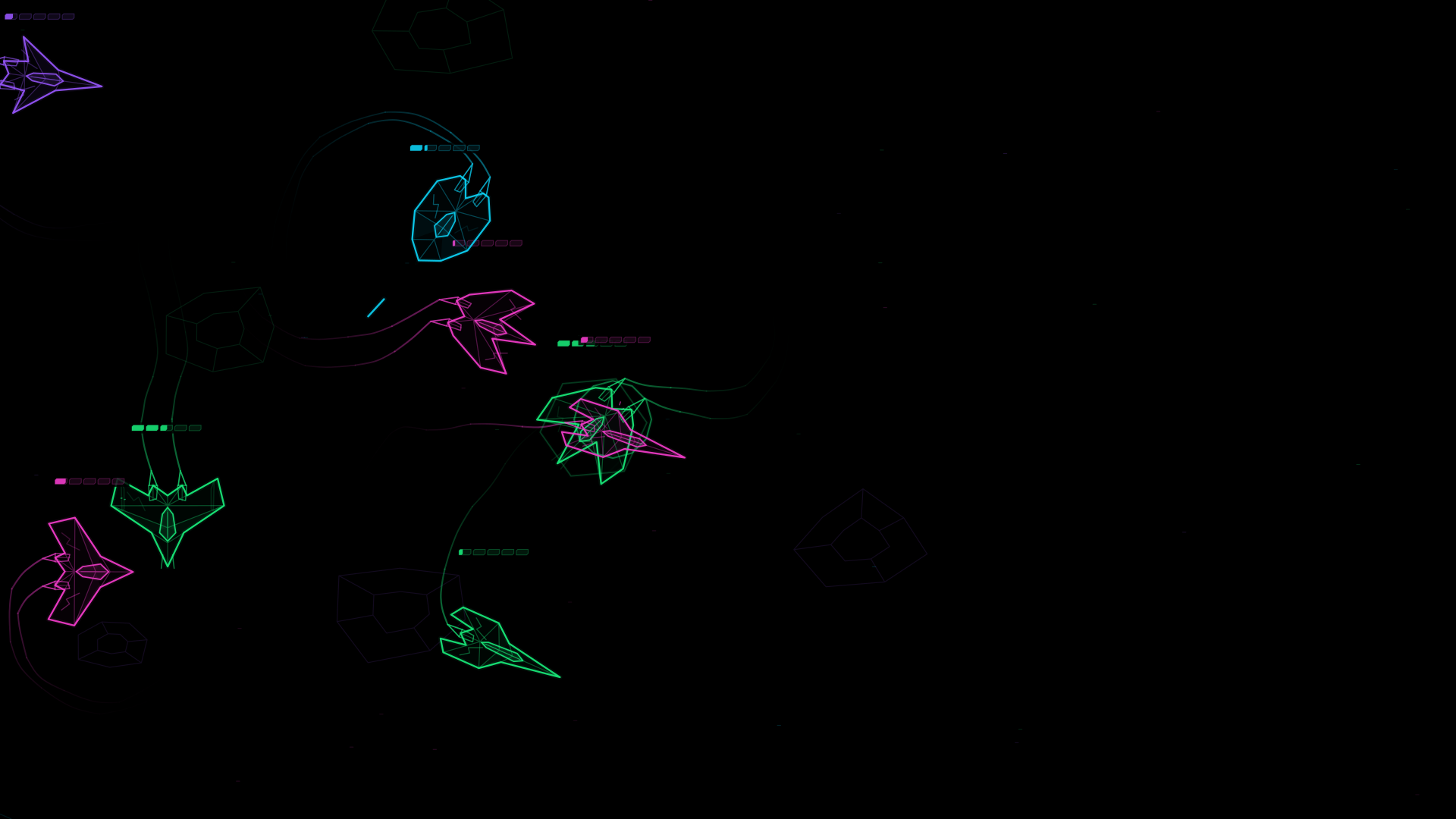
Sparse wireframes, not solid ships. Thin outlines leave most of the scene black instead of filling ships and scenery with bright pixels. The fleets move through the battlefield, spreading the action across your display.
Pitch black, deliberately. The background is true black, so those background pixels remain unlit on an OLED panel. Adjustable visual intensity lets you dim the action to suit your screen.
The interface moves too. Menus, pause text and press-to-play prompts drift or fade instead of leaving a bright interface fixed in one spot. These choices are intended to reduce how much of the display stays bright and how long bright details remain in one place.
The result is an OLED-minded screensaver first: autonomous space battles for standard, ultrawide and 32:9 superwide displays. Watch is completely free. Take the Helm adds optional play.
Designed to reduce static bright content, not a guarantee against burn-in. Keep your manufacturer’s panel-care features and normal screen-sleep settings enabled.
Enable automatic activation, pick your idle delay, and let AFK Wars turn your display into an evolving wireframe battlefield. Rival ships collect upgrades, dodge asteroids, and unite against enormous motherships.
Come back, move your mouse, and the screensaver gets out of your way. Or, with Take the Helm, press Space and make yourself part of the problem.
This isn’t a looping video. Ships hunt, power up, become veterans, and push their luck in a simulation that keeps unfolding.
Silent watching. Clean wireframes on deep black. Hints drift, pause controls fade, and your normal display sleep settings stay in charge.
From portrait to 21:9 ultrawide and 32:9 superwide. The battlefield adapts to your display while ships keep their proportions. Choose your displays, intensity, frame-rate cap, and exit controls.
Real frames from AFK Wars.
Select a capture to get closer.
THE OPTIONAL PLAYABLE UPGRADE
Take the Helm turns the screensaver into a battle you can play. Press Space to pilot a ship in the simulation already unfolding. Steer with your mouse. Hit the boost. Weapons fire automatically.
Surviving is your job.
Original chip-synth music and combat effects kick in when you do. Hand control back to silent autopilot whenever you like.
The complete animated screensaver.
No piloting required.
Press spacebar or esc to pause
DOWNLOAD WATCH FREE · WINDOWS ↓DOWNLOAD WATCH FREE · LINUX ↓Free standalone download · Early release 0.9.5-previewThe same screensaver. Now you’re the pilot.
One optional paid upgrade.
Press spacebar to play!
TAKE THE HELM · $4.99 ONE TIME ↗$4.99 USD once · Secure Stripe CheckoutStandalone Windows + Linux · No subscriptionA screensaver first—and one you can play with the optional Take the Helm upgrade. Free Watch includes the complete autonomous battle. You don’t need to control a ship or buy the upgrade to enjoy it as a screensaver.
AFK Wars is a standalone background app with its own idle detection, not a Windows .scr screensaver or lock screen. Enable automatic activation, choose an idle delay, and leave it running in the background. Mouse movement dismisses the fullscreen screensaver by default; exit controls are configurable. Space and Esc are reserved for play or pause. Your existing screen-sleep and lock settings stay in charge.
Early-release downloads are available for Windows x64 and Linux x86-64. The Linux preview has been tested on Ubuntu 24.04 with GNOME/X11. See Windows and Linux downloads, installation steps, and compatibility notes before installing.
Yes. AFK Wars adapts to 32:9 superwide, 21:9 ultrawide, standard landscape, and portrait layouts without stretching ship shapes. Monitor selection and all-monitor mode are supported. Performance depends on your hardware and resolution; the frame-rate setting is a cap, not a guarantee.
The screensaver’s pure-black background, moving wireframes, adjustable intensity, and drifting/fading controls are designed with OLED displays in mind. They avoid a fixed bright interface, but do not guarantee prevention of burn-in or image retention on any display. Keep your manufacturer’s care features and normal sleep settings enabled.
Watch mode is silent. In Take the Helm, music and effects start when you take control. Return to autopilot or pause to silence the battle; a mute control is also available.
Version 0.9.3 and later include a signed updater in settings. If you have version 0.9.2, download the current Windows installer or Linux build once to get the updater. Take the Helm owners return to their private purchase page for future downloads and the Copy update code button, without buying again. Paste that code into the app for paid updates. Version 0.9.5-preview also accepts the full private purchase link; version 0.9.3 needs the raw code. Keep the link and code private. Offline play does not require it, and there is no subscription.
The free Watch screensaver is available here for Windows and Linux. Take the Helm is available as a one-time $4.99 USD website purchase. Steam links will be added when its listings are ready. Website purchases are standalone downloads and do not include a Steam key.
Installation & setup walkthrough → · Tried Watch? Tell us how it went →
Email [email protected] for help with setup or purchase access. Take the Helm website purchases include a 14-day full refund policy.